What's New in This Update
Version: 1.2.0
Release Date: 10.07.2026
1. Bybit Exchange Integration (Beta)
The platform now supports Bybit connectivity.
You can now connect your Bybit API keys and trade across multiple exchanges simultaneously from a single terminal.
Supported exchanges: Binance | Bybit | OKX
What this gives you:
- Simultaneous trading across multiple exchanges
- Fast switching between trading venues
- A unified interface for trading and market analysis
Available for: PLUS, Custom, and Business licenses. 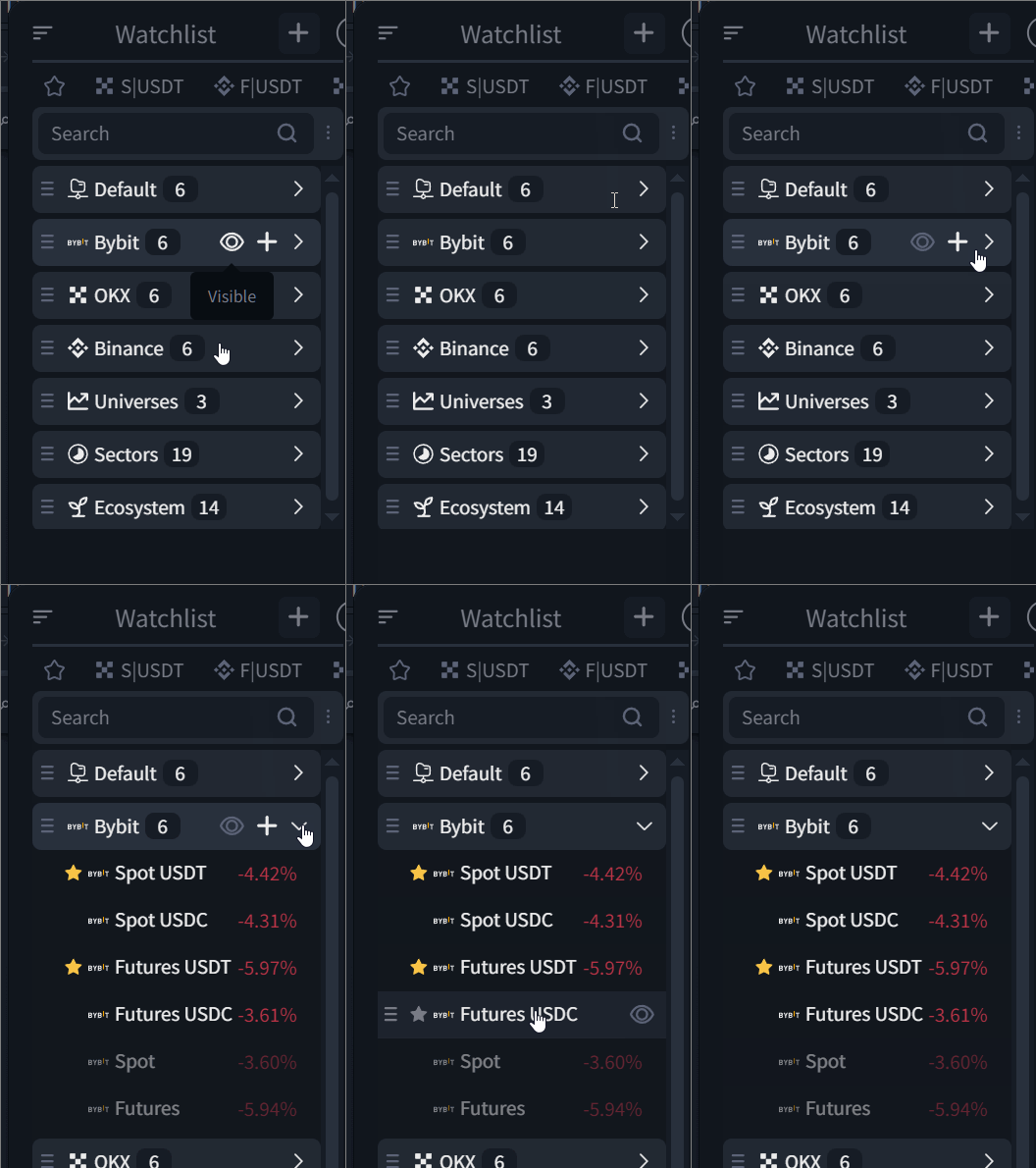
Bybit integration is now available in closed beta. Access can be enabled by contacting our Support team.

Currently, access is available to:

▪️ Lexx Premium and Lexx Prime partner program members

▪️ Participants of our  ByBit  Affiliate Program

▪️ Users who responded to our subscription extension request, on an individual basis

Simply contact our Support team, and we'll get everything set up for you.
2. TradingView Multi-Charts
You can now open up to five TradingView charts simultaneously within a single workspace.
Each chart functions as an independent widget, allowing you to analyze multiple trading pairs or timeframes without switching tabs.
How to enable
Open the Lock menu in the platform's top toolbar and select the desired number of TradingView widgets.
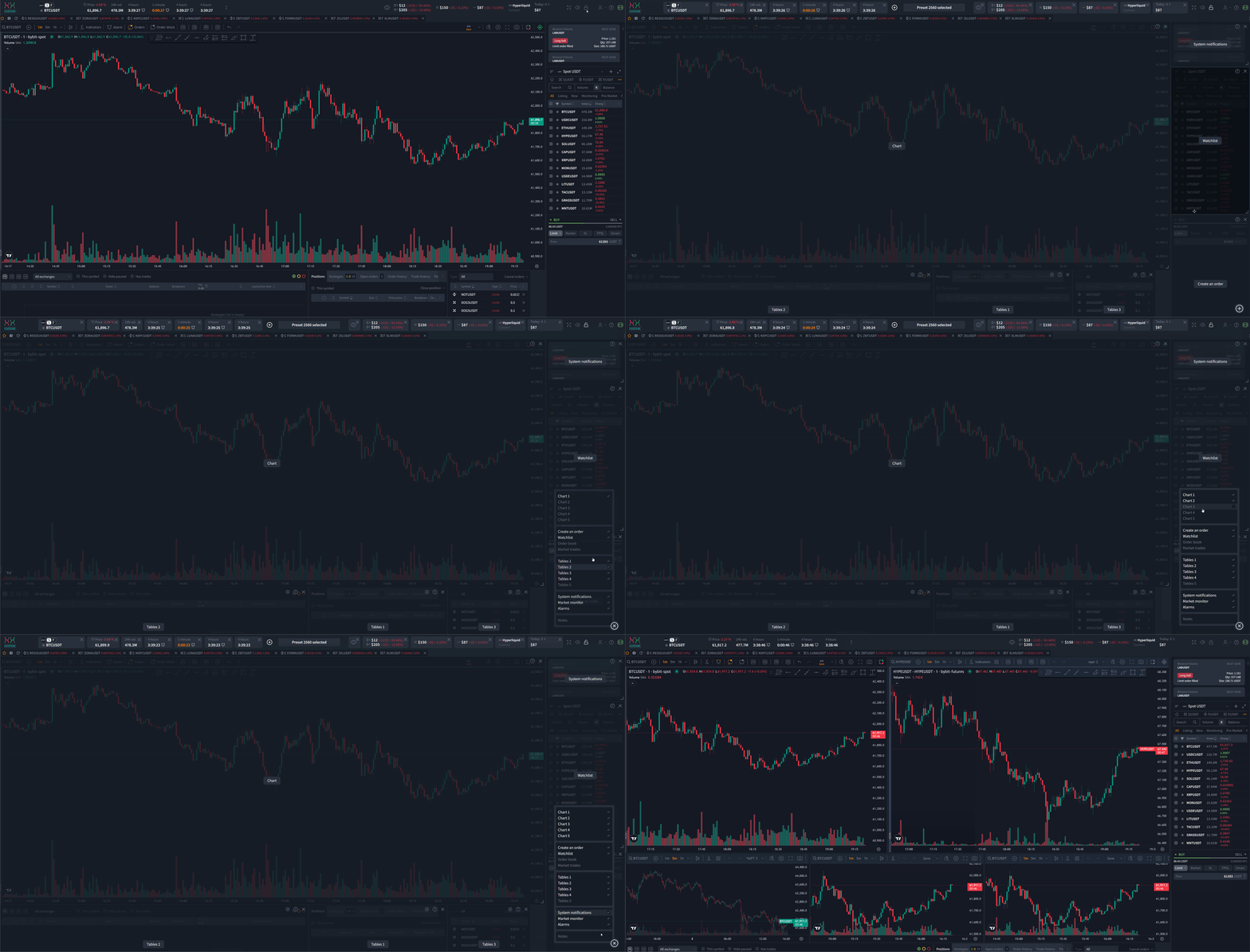
Available for: PLUS, Custom, and Business licenses.
3. TradingView Chart Settings & Active Chart
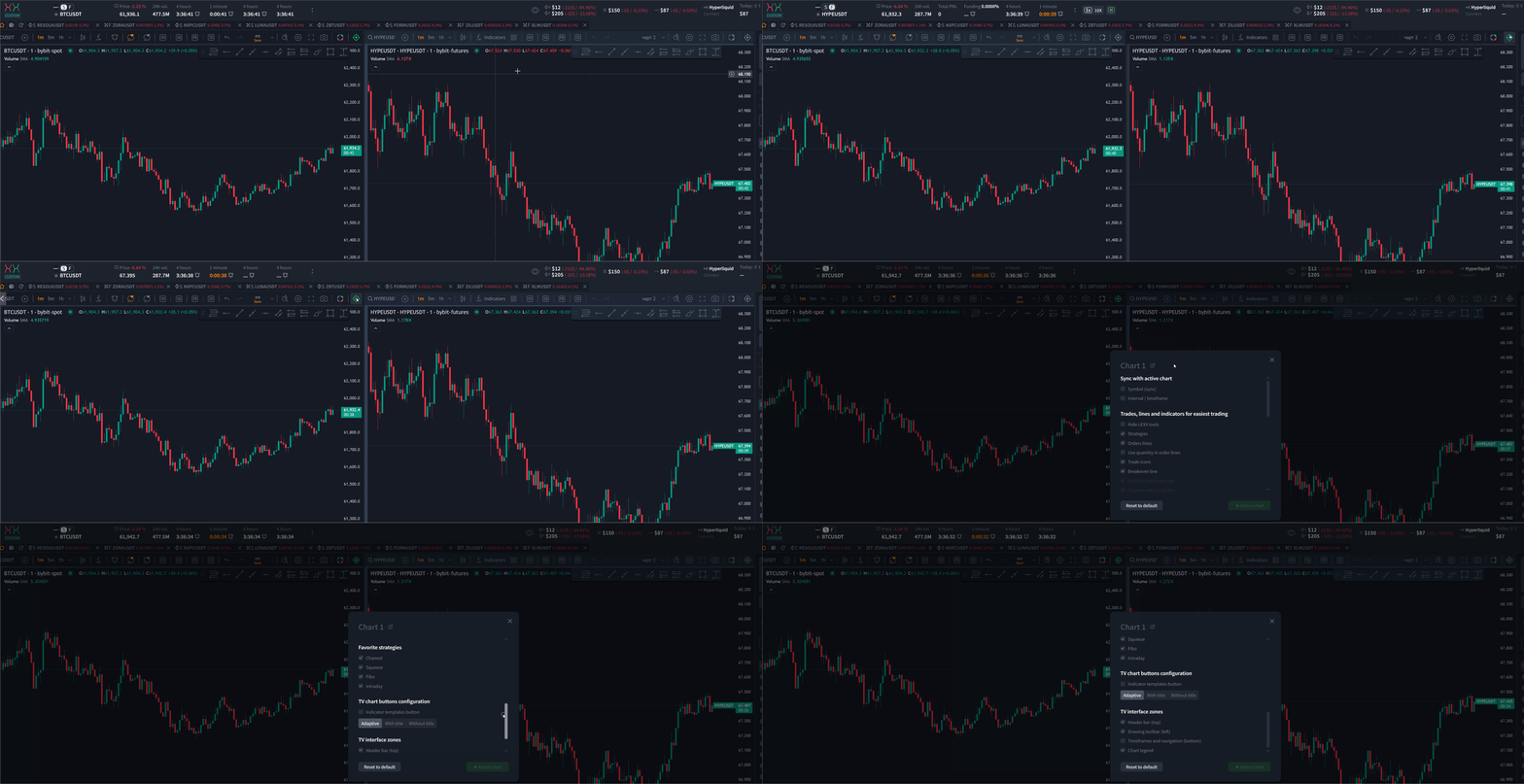
To support multi-chart workflows, we've introduced an Active (Primary) TradingView Chart system.
TradingView Chart Settings
Configure each chart through the LEXX menu located in the upper-right corner of every chart.
Active Chart
To make a chart active, click the Target icon in its upper-right corner.
● Green icon — Active chart.
● Gray icon — Inactive chart.
How it works
- All platform widgets automatically synchronize with the active TradingView chart.
- When you switch the active chart, all other platform blocks automatically adopt its exchange and trading symbol.
- Each TradingView chart has its own template for saving drawings and chart objects.
4. Interactive Exchange Widgets
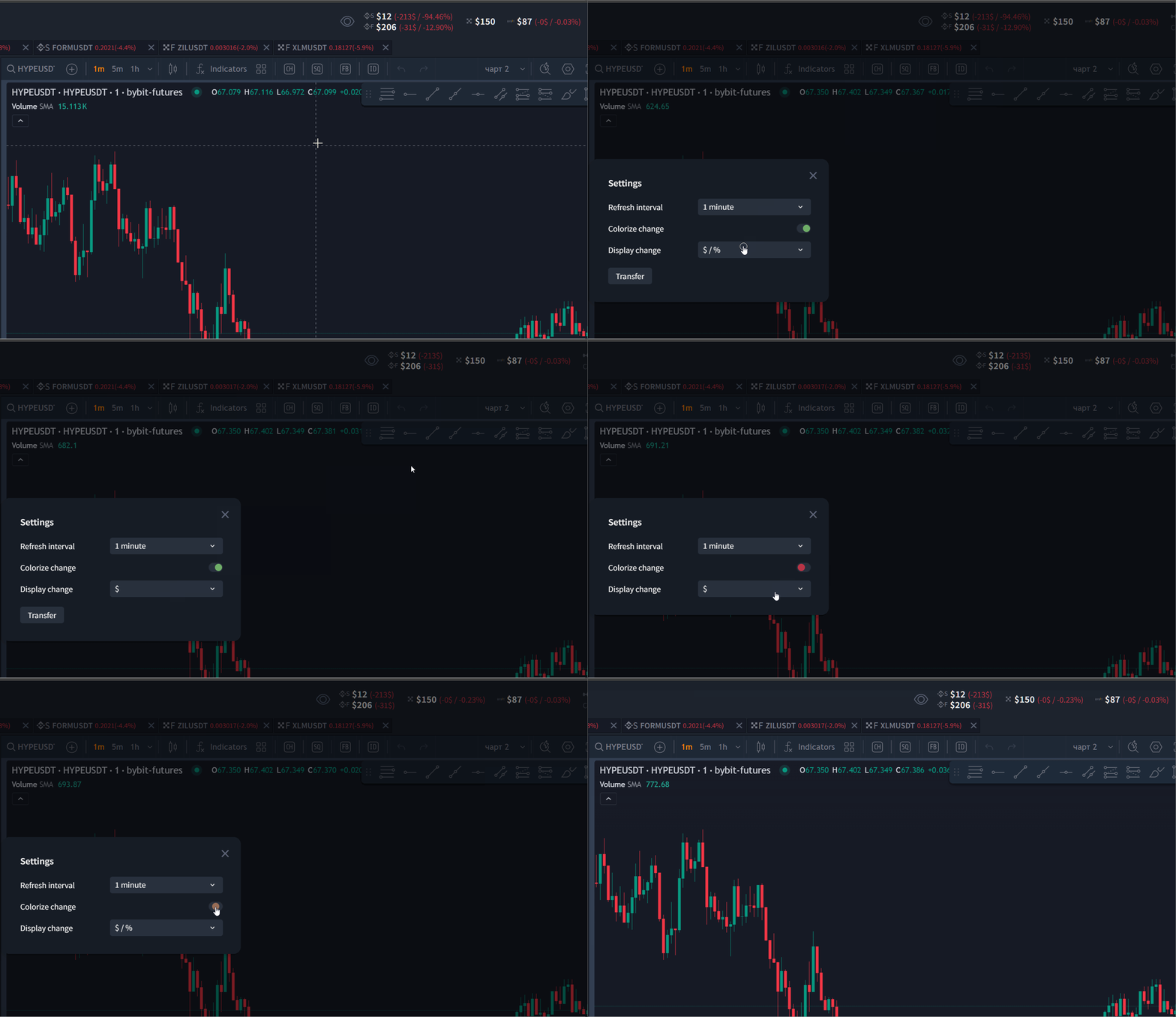
Interactive widgets for connected exchanges have been added to the top toolbar (header) of the platform.
Each widget displays key information about the corresponding exchange balance.
Clicking a widget opens a modal window with its display settings.
5. Lexx API Keys
You can now create LEXX API Keys for accessing the Lexx API.
API keys provide secure authentication for external services and integrations that use the platform API.
Available for: PLUS, Custom, and Business licenses.
6. Account Activity Log
A new Account Activity Log has been added, allowing you to review your account activity history within the platform. .
The log records major account and terminal events, including:
- Order activity
- Strategy launches and management
- API key operations
- License changes
- Exchange connections
- Portfolio actions
- Referral program activity
- Notifications and other platform events
The Activity Log makes it easier to locate important events, review account history, and analyze platform activity.
Other Improvements and Fixes
- Improved overall platform performance.
- Added support for OKX IP endpoints for users located in EU countries.
- Updated the Squeeze Strategy Configurator parameters for consistency.
- Added volume control for sound notifications (the slider appears when hovering over the volume icon).
- Various bugs have been fixed and stability improvements have been made.
We hope you enjoy this update and that it makes your trading experience even more comfortable. As always, we welcome your ideas and suggestions, which you can submit through the Profile menu at the top of the platform.
User Note
- We recommend refreshing the platform page after the update to ensure all changes are properly loaded in your browser.
Was this article helpful?
That’s Great!
Thank you for your feedback
Sorry! We couldn't be helpful
Thank you for your feedback
Feedback sent
We appreciate your effort and will try to fix the article
Ready to try it live?
Everything in this guide works in the LEXX terminal — exchange API connections, trading strategies and automation.
Open the terminal About LEXX Platform