What's new in the update
Version: 1.1.8
Release date: 08.04.2026
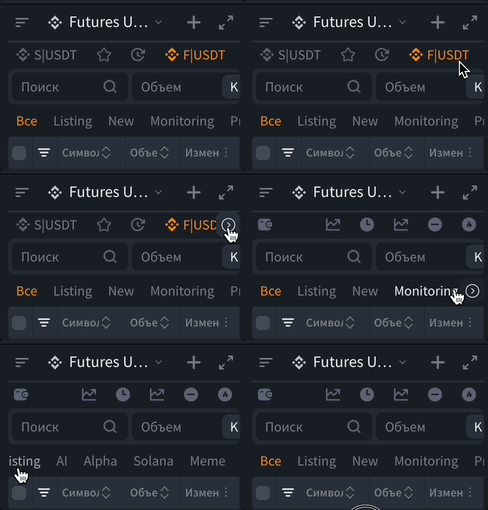
1. Scroll buttons have been added to the "Symbols List" block
For more convenient work with the block rows (quick access and auto-tags), where there is horizontal scrolling, a button with an arrow in the direction you can scroll the list now appears on hover.
Previously, this could only be done by swiping or via Shift + scroll.
2. Ability to move and resize the expanded "Symbols List" window
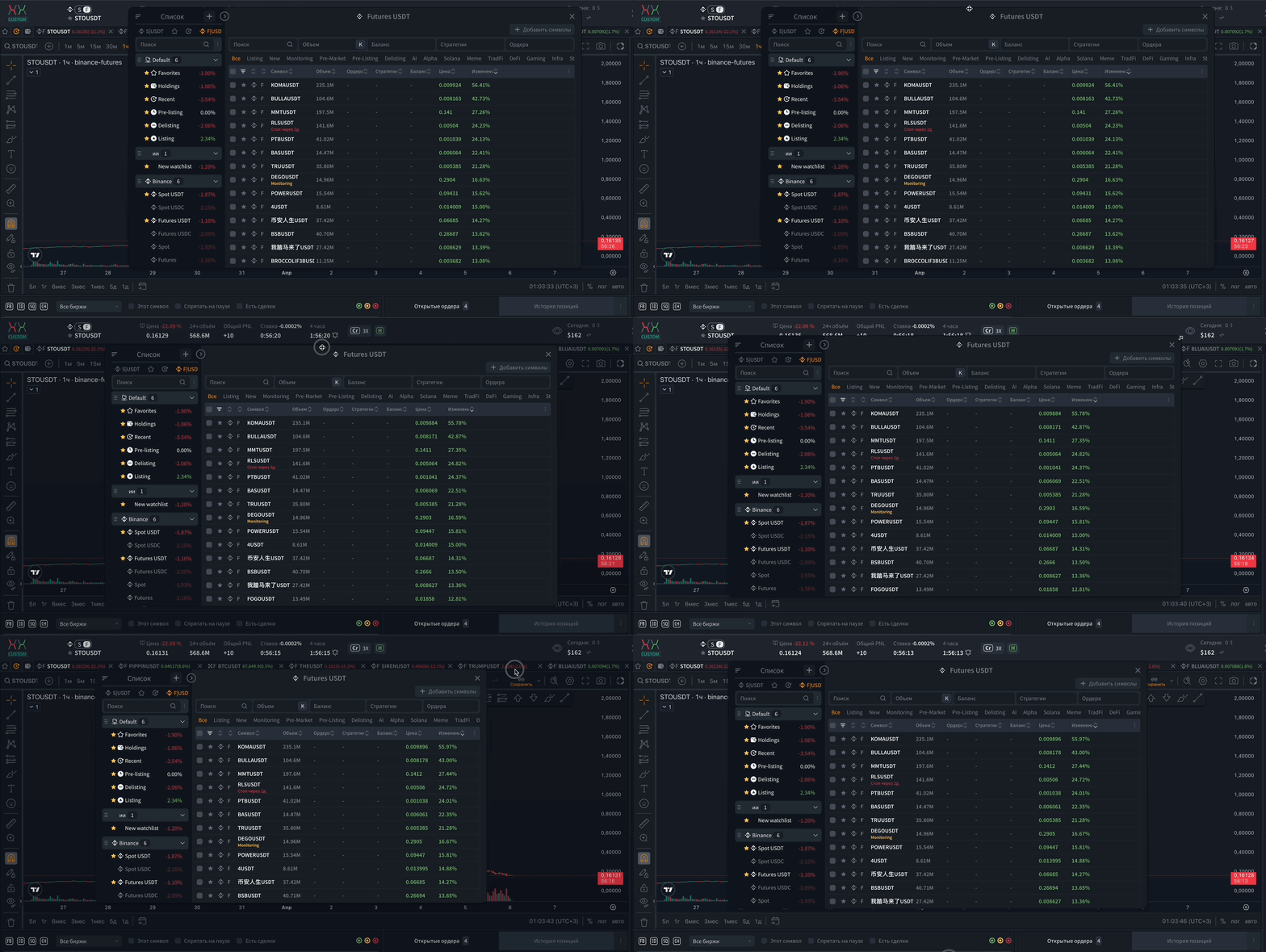
If the "Symbols List" block is opened in expanded mode, it can now be freely moved around the screen and resized to fit your needs.
How to move the window
Move the mouse cursor to the top edge of the block - the cursor will change to a crosshair, then hold down the left mouse button and move the window to the desired place.
How to resize the window
Move the mouse cursor to one of the four corners of the block - the cursor will change to a resize arrow, then hold down the left mouse button and drag in the desired direction.
3. Column pinning
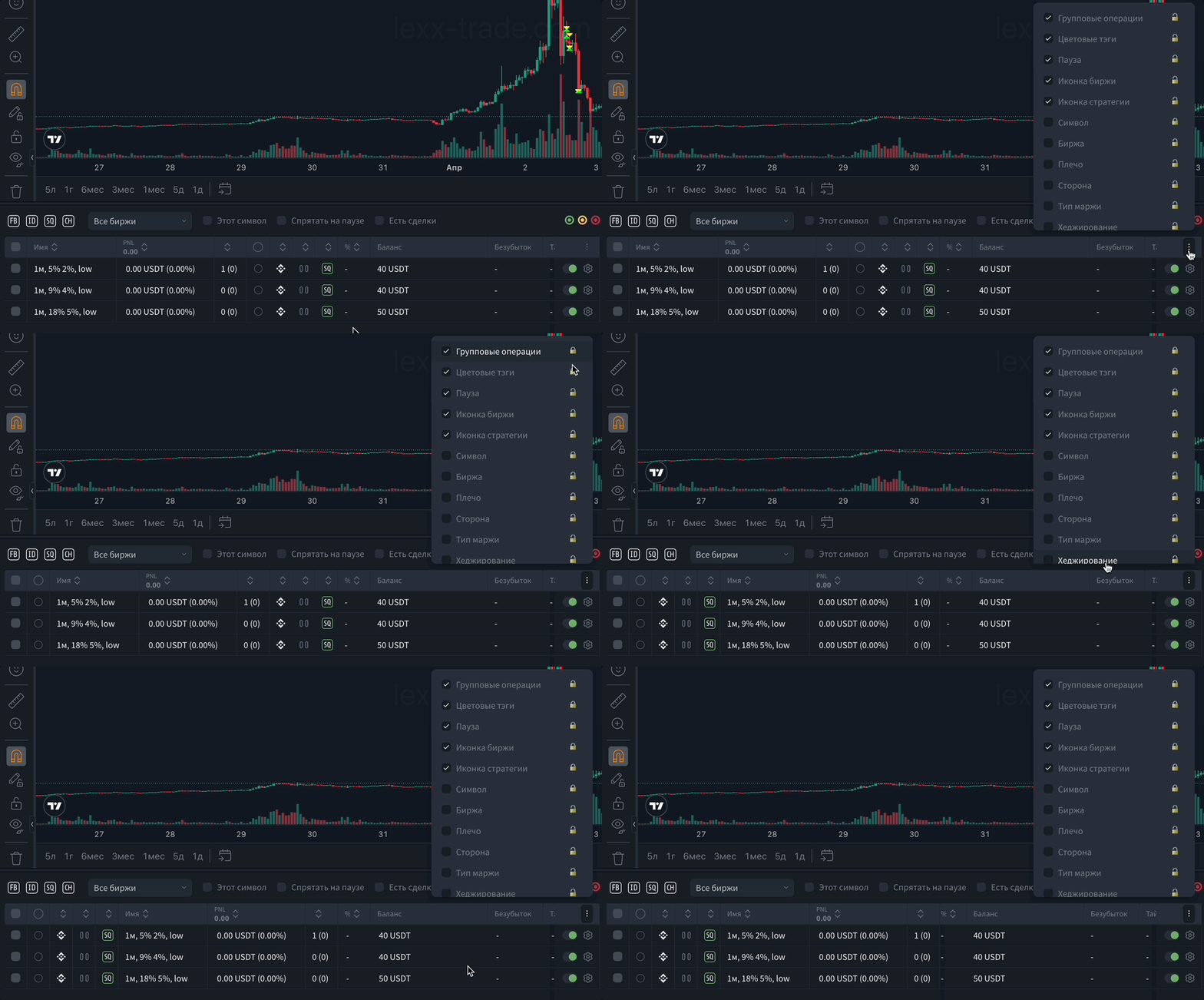
In blocks with tables, it is now possible to pin the required columns using the lock icon.
This is convenient when a table has many columns and some of them may be hidden when the block or window is resized.
Now important columns can be pinned so that they always remain visible.
What this gives you:
- easier work with wide tables where many columns are enabled
- the most important data can be kept in the visible area, while the rest can be scrolled or hidden
4. Terminal guest mode
The ability to open the terminal without logging into an account has been added.
This allows you to familiarize yourself with the platform interface and its main work areas before authorization.
Other improvements and fixes
- Platform performance has been optimized.
- Identified memory leaks have been eliminated.
- The saving of the "favorite collections" block has been fixed.
- The spontaneous closing of the strategies config window has been fixed.
Various errors, bugs, and performance optimizations have also been addressed across the platform.
We hope you enjoy this update and that it makes your experience with the platform even more comfortable. We are always open to your ideas, which you can submit via the profile menu at the top of the terminal.
Note to users:
- We recommend refreshing the platform page to update the data in your browser after the update.
Was this article helpful?
That’s Great!
Thank you for your feedback
Sorry! We couldn't be helpful
Thank you for your feedback
Feedback sent
We appreciate your effort and will try to fix the article
Ready to try it live?
Everything in this guide works in the LEXX terminal — exchange API connections, trading strategies and automation.
Open the terminal About LEXX Platform